














Secure Login Galaxy Spins Casino - Your account dashboard
On this page, we walk you through how to log in to your Galaxy Spins Casino player account, which devices we support, and what to do if access problems arise. We have engineered our login system to get you from the sign‑in button to your account dashboard in seconds, with layered security sitting behind that speed to keep your profile protected at all times. Whether you play from a desktop browser or a mobile device, the process follows the same streamlined structure. Follow the steps below and you will reduce the likelihood of errors while keeping your account locked down tight.
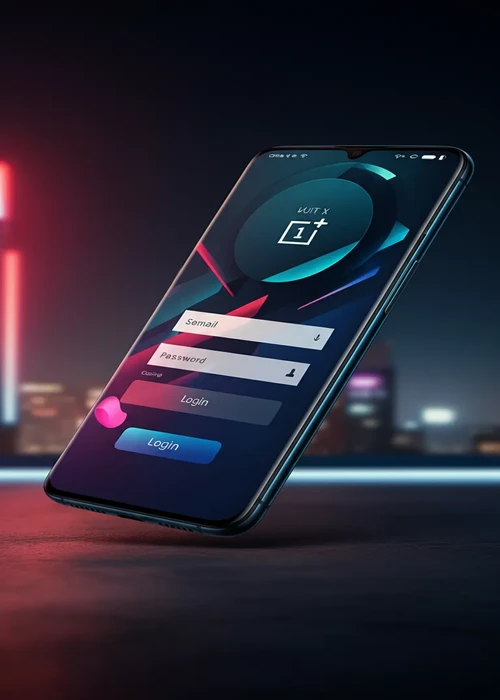
Step‑by‑Step Login Process
Casino Galaxy Spins has built its login sequence around a simple two‑field form: your email address and your password. On desktop, you will find the login button in the upper right‑hand corner of the Galaxy Spins Casino homepage, while on mobile it sits in the main menu or the fixed navigation bar. Once you enter your registered email and password, our system validates the combination against encrypted records on our server. For most players with a stable internet connection, the time from clicking the button to reaching the account dashboard is only a few seconds. As soon as your credentials are confirmed, your balance information and any active bonuses load automatically at Galaxy Spins Casino.
Device and Browser Compatibility
Galaxy Spins Casino supports account access via modern versions of Chrome, Safari, Firefox and Edge on both desktop and mobile. The login form works consistently across Windows, macOS, iOS and Android, delivering clear error messages whenever input is incomplete or incorrect. On older browsers, some interface elements may render differently, but the core login function will still work as expected. We recommend keeping your browser up to date because security patches and performance improvements reduce the chance of connection time‑outs. If you play on multiple devices, you can log in from several platforms at once for convenience, though we advise logging out on any shared or public machines.
Logging In on Mobile: Menu Location and Browser Tips
Accessing your Galaxy Spins Casino account on the go is designed for convenience, and finding the login button on your mobile device is straightforward. It will always be located within the main menu or a fixed navigation bar, ensuring it’s readily available whether you’re on iOS or Android.- For optimal performance, always ensure your mobile browser is updated to its latest version.
- We support modern versions of Chrome, Safari, Firefox, and Edge for a smooth login experience.
- If you encounter issues, try clearing your browser's cache and cookies before attempting to log in again.
- Ensure you are using a secure, private network to protect your login credentials.
- While our login form delivers clear error messages, double-check your email and password for accuracy.
Two‑Factor Authentication and Account Security Layers
Beyond the basic email‑plus‑password combination, Casino Galaxy Spins strongly encourages you to strengthen your access with additional security measures. The two‑factor authentication options include one‑time codes delivered via email, text message or a dedicated authenticator application. When enabled, these codes are requested after the standard login step, providing an extra barrier against unauthorised access. We also monitor unusual sign‑in patterns such as repeated attempts from unfamiliar locations or devices. In those cases, we may apply temporary holds or extra verification questions - this can delay access briefly but significantly lowers the risk of anyone compromising your credentials.
| Security Feature | Function | Trigger Point | User Action Needed | Impact on Login Time | Recommended For |
|---|---|---|---|---|---|
| Password Strength Check | Evaluates complexity | Account creation or reset | Create strong passphrase | Minimal | All players |
| Two‑Factor Code | One‑time verification | After password entry | Enter code from app or SMS | +10–20 seconds | Frequent or high‑value users |
| Device Recognition | Flags new hardware | First login on new device | Confirm via email link | Varies | Multi‑device play |
| IP Analysis | Checks unusual regions | Access from new country | Answer security questions | +1–3 minutes | Travelling players |
| Session Timeout | Auto‑logs out | Long inactivity | Re‑enter login details | Small | Shared computers |
| Manual Review | Fraud investigation | Suspicious behaviour | Provide ID on request | Several hours | Rare edge cases |
Managing Simultaneous Logins on Several Devices
While you can log in from several platforms at once for convenience, we understand you might want to review or terminate active sessions, especially after using a shared computer. Currently, our system allows you to remain signed in on multiple trusted personal devices. We strongly advise logging out on any shared or public machines to protect your account. For these shared environments, it is always safer to log out after each session and avoid saving your password in the browser.
We prioritize the security of your Galaxy Spins Casino account. To maintain control over your login sessions, we recommend consistently logging out from devices you no longer use or those accessible to others. This simple practice, combined with our strong password recommendations and secure network guidelines, ensures that only you have access to your account, safeguarding your personal information and funds against unauthorized access.
Password Recovery and Locked‑Account Scenarios
If you forget your password or mis‑type it several times, Galaxy Spins Casino has built secure mechanisms to restore your access. The login form includes a dedicated password recovery link that triggers an email containing a time‑limited reset URL. We keep these links valid for a defined window - typically a few hours - to prevent misuse. Once you choose a new password that meets our minimum complexity rules, you can log back in and continue using your account as normal. In cases where repeated failed attempts or unusual activity have led to a locked account, our support staff may request identity documents before lifting the block. This extra verification step is there to shield your account from unauthorised access attempts.
Common Login Errors and How to Resolve Them
Most login issues fall into a few recurring categories: incorrect credentials, browser cache conflicts or temporarily unavailable services. Clearing stored cookies, checking that Caps Lock is not active and confirming that the correct email address is entered will resolve the majority of cases. If a security message indicates too many attempts, wait for the lockout period to expire before trying again. Should the problem persist after these basic checks, reach out to Casino Galaxy Spins through live chat or email so the technical team can inspect your specific account. Keeping a brief record of error messages and timestamps helps us diagnose and resolve the underlying cause more quickly on your behalf.
Staying Signed In on Trusted Devices Safely
While we offer the convenience of staying signed in, we strongly advise using this feature only on your private, trusted devices. For shared or public computers, it's always safer to log out after each session and avoid saving your password in the browser. This practice, combined with a strong password, significantly enhances your account's security.
Our system has an automatic inactivity timeout designed to protect your account. Even if you choose to stay signed in, extended periods of inactivity will eventually log you out, especially when accessing Galaxy Spins Casino from an unfamiliar network. This layered security approach helps prevent unauthorized access while still offering convenience when you need it.
Trust and Security
Galaxy Spins Casino implements multiple layers of security to protect your account from unauthorised access. The login system uses encrypted connections, monitors for suspicious activity patterns, and offers optional two‑factor authentication for enhanced protection. Beyond technical safeguards, we educate players on best practices such as using strong passwords, avoiding public Wi‑Fi for account access, and regularly reviewing account activity. Our security team works around the clock to detect and prevent fraudulent login attempts, while our support staff are trained to assist with account recovery and verification procedures. Your trust is fundamental to our operation, and we continuously invest in security infrastructure to maintain that trust.
- Use strong passwords: Combine letters, numbers and symbols instead of simple words
- Limit devices: Log in only from trusted personal hardware, not public terminals
- Secure networks: Prefer private Wi‑Fi or mobile data over open hotspots when accessing your account
- Review sessions: Check your recent login history for unusual activity
- Update details: Keep your email and phone number current so security alerts reach you quickly
- Contact support: Report any suspected compromise so the team can lock or review your profile
If repeated access issues persist, review the offer rules on the no deposit bonus page or check external password safety guidance from Have I Been Pwned before trying again.
Secure Access to Your Account
Logging in should be a quick and secure experience every time you visit Galaxy Spins Casino. By following the steps and security recommendations on this page, you can protect your account from unauthorised access while enjoying seamless entry to your games and balance. The support team is available around the clock to assist with any login issues you cannot resolve on your own. We continually update our security protocols to stay ahead of emerging threats and maintain the highest standards of account protection.
Last updated: 7 July 2026
F.A.Q
Click the login button, enter your registered email address and password, then confirm. If the details match, you are redirected to your account dashboard within a few seconds.
Use the forgot password link on the login form, submit your email and follow the reset link sent to your inbox. Choose a new strong password and log in again with the updated details.
Yes, you can activate additional verification steps such as one‑time codes sent by email or generated by an authenticator app to add another layer of security to your login.
Multiple failed login attempts, suspicious access patterns or security checks can trigger a temporary lock. Wait for the stated period or contact support to restore access after verification.
You can choose to remain signed in on trusted personal devices, but for shared computers it is safer to log out after each session and avoid saving passwords in the browser.